
Configure event notifications using EventBridge for S3 buckets using CDK
Guide to configure event notifications using EventBridge for S3 buckets using CDK
On this page
There are two ways to configure event notifications on the S3 bucket:
- Using EventBridge notifications. This is covered in this guide
- Using the
add_event_notificationmethod of theBucketconstruct. This is covered in the next guide
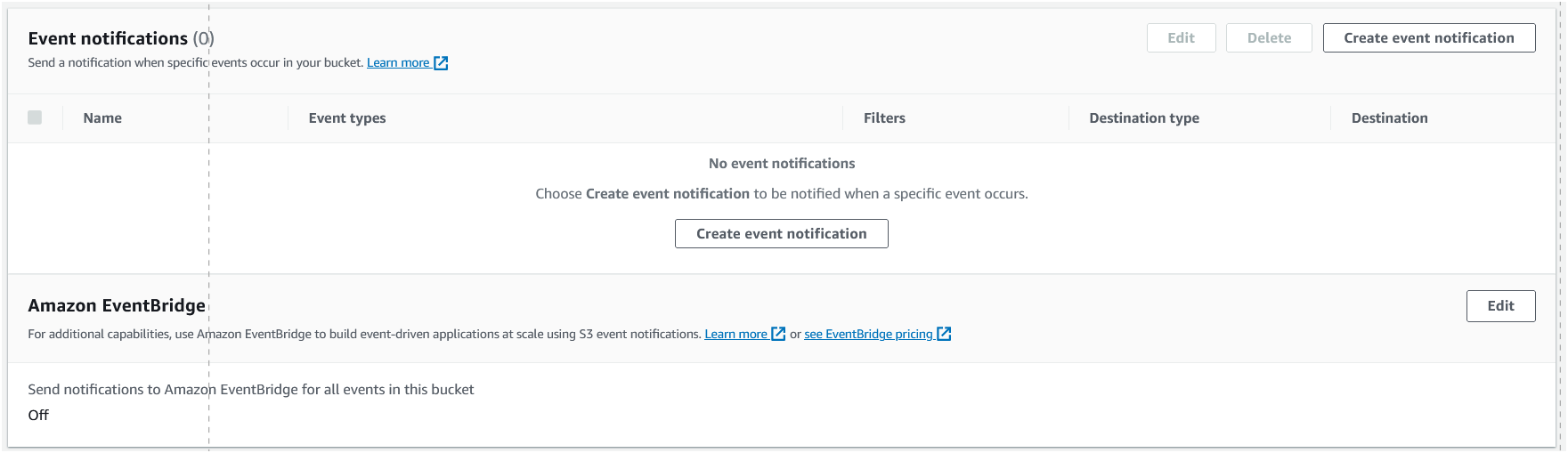
Configure EventBridge notifications
To configure EventBridge notifications, we will need to do the following:
- Turn on sending of S3 events to EventBridge: This is a one time activity, which can be done either from console or through CDK.
- Create an EventBridge rule: We define the rule using a pattern that specifies the event types to listen for and the targets to send the events to
- Create an EventBridge target: We attach a target to the rule that specifies the target resource to send the events to. In this case, we will add a simple Lambda function as a target.
Import the required modules
We need to import the aws_lambda and aws_events modules to create the Lambda function and the EventBridge rule respectively.
# filename: cdk_app/s3_stack.py#part-1

from aws_cdk import (
    Stack,
    aws_s3 as s3,
    RemovalPolicy,
    aws_lambda as _lambda,
    aws_events as events,  # 👈🏽 Import the events module
    aws_events_targets as targets,  # 👈🏽 Import the events_targets module
)

from constructs import Construct
Initialise the stack and create the S3 bucket
We will initialise the stack and create the S3 bucket as we did in the previous examples. We will also turn on sending of S3 events to EventBridge.
class S3Stack(Stack):

    BUCKET_ID = "MyS3Bucket"
    EVENT_RULE_ID = "MyS3BucketEventRule"

    def __init__(self, scope: Construct, construct_id: str, **kwargs) -> None:
        super().__init__(scope, construct_id, **kwargs)

        # 👇🏽 Create the S3 bucket
        my_bucket = s3.Bucket(
            self,
            id=self.BUCKET_ID,
            removal_policy=RemovalPolicy.DESTROY,
            event_bridge_enabled=True,  # 👈🏽 Enable EventBridge notifications
        )
Create the Lambda function
We will create a simple Lambda function that prints “File uploaded” when invoked.
        # 👇🏽 Create the Lambda function
        _lambda.Function(self,
            id="MyFirstLambda",
            runtime=_lambda.Runtime.PYTHON_3_7,
            code=_lambda.Code.from_inline("def main(event, context):\n\tprint('File Uploaded')"),
            handler="index.main",
        )
Create the EventBridge rule
We will create an EventBridge rule that listens for events from the S3 bucket and sends them to the Lambda function.
        # 👇🏽 Create an EventBridge rule
        event_rule = events.Rule(
            self,
            id=self.EVENT_RULE_ID,
            event_pattern=events.EventPattern(
                source=["aws.s3"], # 👈🏽 Listen for events from S3
                detail_type=["Object Created"], # 👈🏽 List of event types to listen for
                detail={
                    "buckets": {
                        "name": [my_bucket.bucket_name], # 👈🏽 List of buckets to listen to
                    },
                },
            ),
        )

        # 👇🏽 Add lambda function as a target for the EventBridge rule
        event_rule.add_target(targets.LambdaFunction(my_lambda_fn))
Deploy the app
After the above changes, the full code will look like this:
# filename: cdk_app/s3_stack.py

from aws_cdk import (
    Stack,
    aws_s3 as s3,
    RemovalPolicy,
    aws_lambda as _lambda,
    aws_events as events,  # 👈🏽 Import the events module
    aws_events_targets as targets,  # 👈🏽 Import the events_targets module
)

from constructs import Construct


class S3Stack(Stack):
    BUCKET_ID = "MyS3Bucket"
    EVENT_RULE_ID = "MyS3BucketEventRule"

    def __init__(self, scope: Construct, construct_id: str, **kwargs) -> None:
        super().__init__(scope, construct_id, **kwargs)

        my_bucket = s3.Bucket(
            self,
            id=self.BUCKET_ID,
            removal_policy=RemovalPolicy.DESTROY,
        )

        # 👇🏽 Create the Lambda function
        my_lambda_fn = _lambda.Function(
            self,
            id="MyLambdaFn",
            runtime=_lambda.Runtime.PYTHON_3_7,
            code=_lambda.Code.from_inline("def main(event, context):\n\tprint('File uploaded!')"),
            handler="index.main",
        )

        # 👇🏽 Create an EventBridge rule
        event_rule = events.Rule(
            self,
            id=self.EVENT_RULE_ID,
            event_pattern=events.EventPattern(
                source=["aws.s3"],
                detail_type=["Object Created"],
                detail={
                    "bucket": {
                        "name": [my_bucket.bucket_name],
                    },
                },
            ),
        )

        # 👇🏽 Add lambda function as a target for the EventBridge rule
        event_rule.add_target(targets.LambdaFunction(my_lambda_fn))
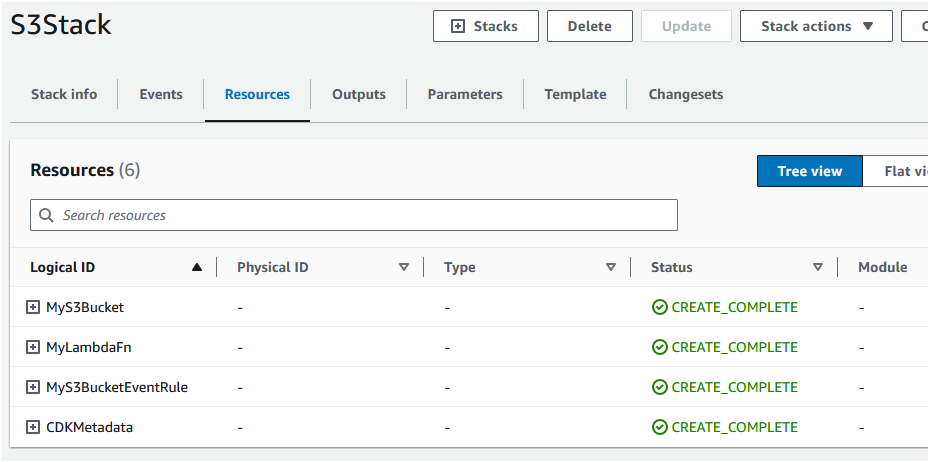
Now you can deploy the app by running cdk deploy. This will create the S3 bucket, the Lambda function and the EventBridge rule.
Test the app
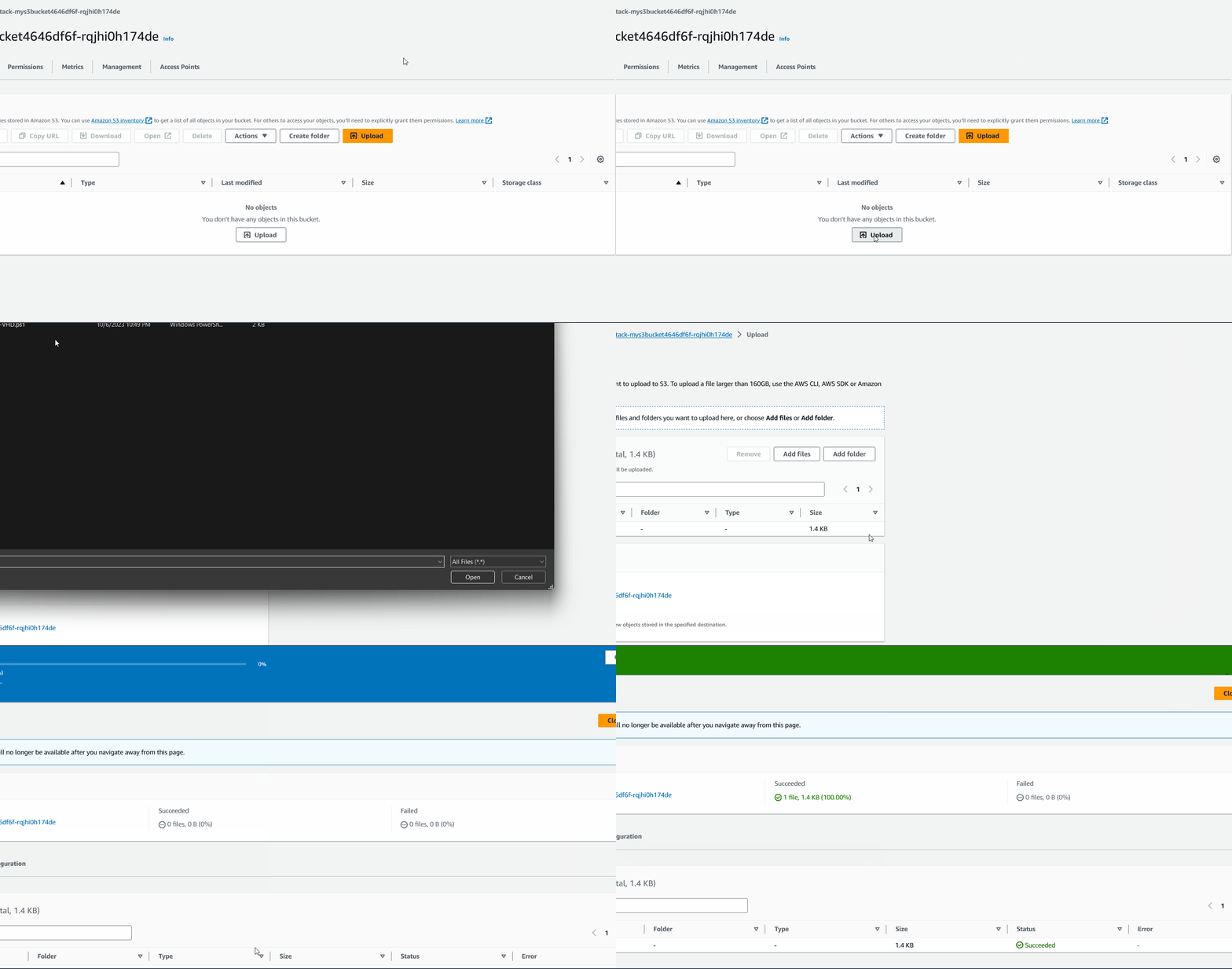
Let’s upload a file to the S3 bucket and see if the Lambda function is invoked.
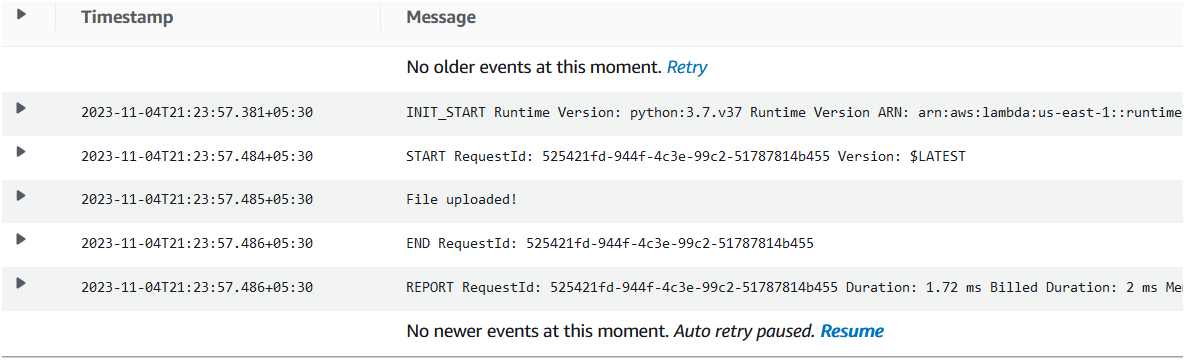
If you check your CloudWatch logs, you will see that the Lambda function was invoked and it printed “File uploaded!”.
Need help?
Start a discussion on GitHub if you’ve got questions or improvements. Open discussions →
Related posts
Running a Web Server in a Private Subnet secured
Creating a 3-Tier Network Architecture VPC with AWS CDK in Python
Running Lambda Functions in a VPC with AWS CDK in Python
Using multiple environments AWS CLI and profiles with CDK
Configure log retention and removal policy for Lambda function using AWS CDK in Python